Animations Retargeting

Animation Retargeting is a feature that allows animations to be reused between characters that use the same Skeleton asset but may have vastly different proportions.
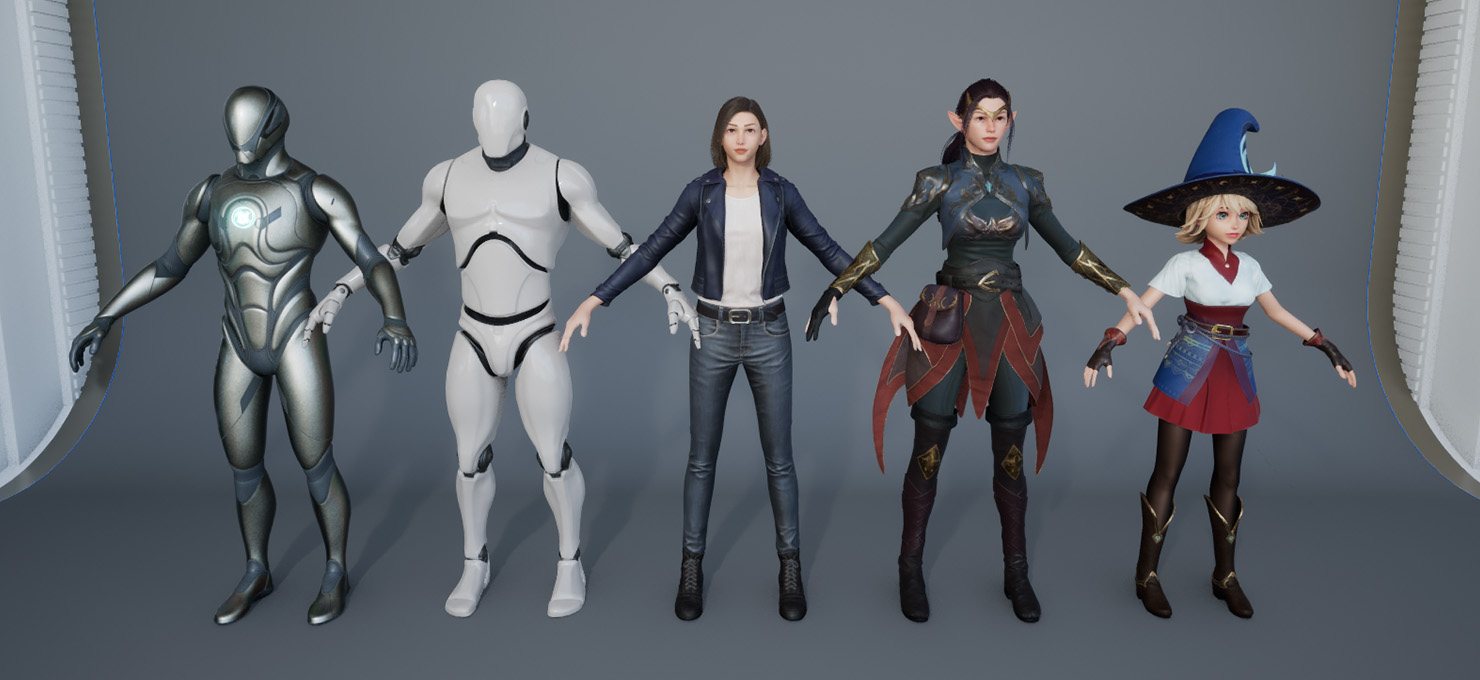
Showing the different proportions among Rabbit Heart characters
Before retargeting is applied, you can already use animations between any Skeletal Meshes that share the same Skeleton asset (check out UE5’s Compatible Skeletons feature).
That means you don’t have to do any retargeting to characters that have the exact same skeleton and same skeleton proportion (you can use Compatible Skeletons).
But for Rabbit Heart characters, they all have a different proportion from the UE4 and UE5 Mannequin, so retargeting is needed to convert the animation from one proportion to another proportion.
Retargeting in Unreal Engine 5
Section titled “Retargeting in Unreal Engine 5”In UE5, you need to use IK Rig + IK Retargeter, the setup is a bit more involved, but it offers more robust retarget capabilities than UE4.
Process Summary
Section titled “Process Summary”The process looks like this:
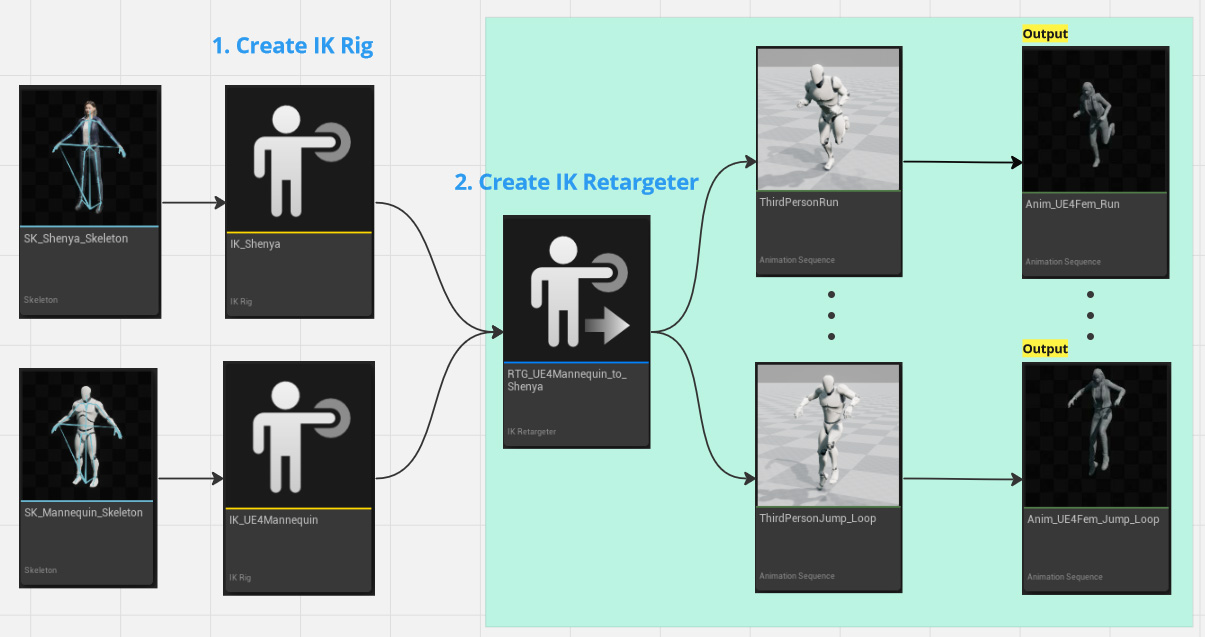
- Create/Prepare IK Rig for both source and target characters.
- Create an IK Retargeter, select the two IK Rigs when prompted (UE5.2, for UE5.3 manually select them in the Details panels). Tweak settings and export animation from inside the IK Retargeter window (see the picture below).
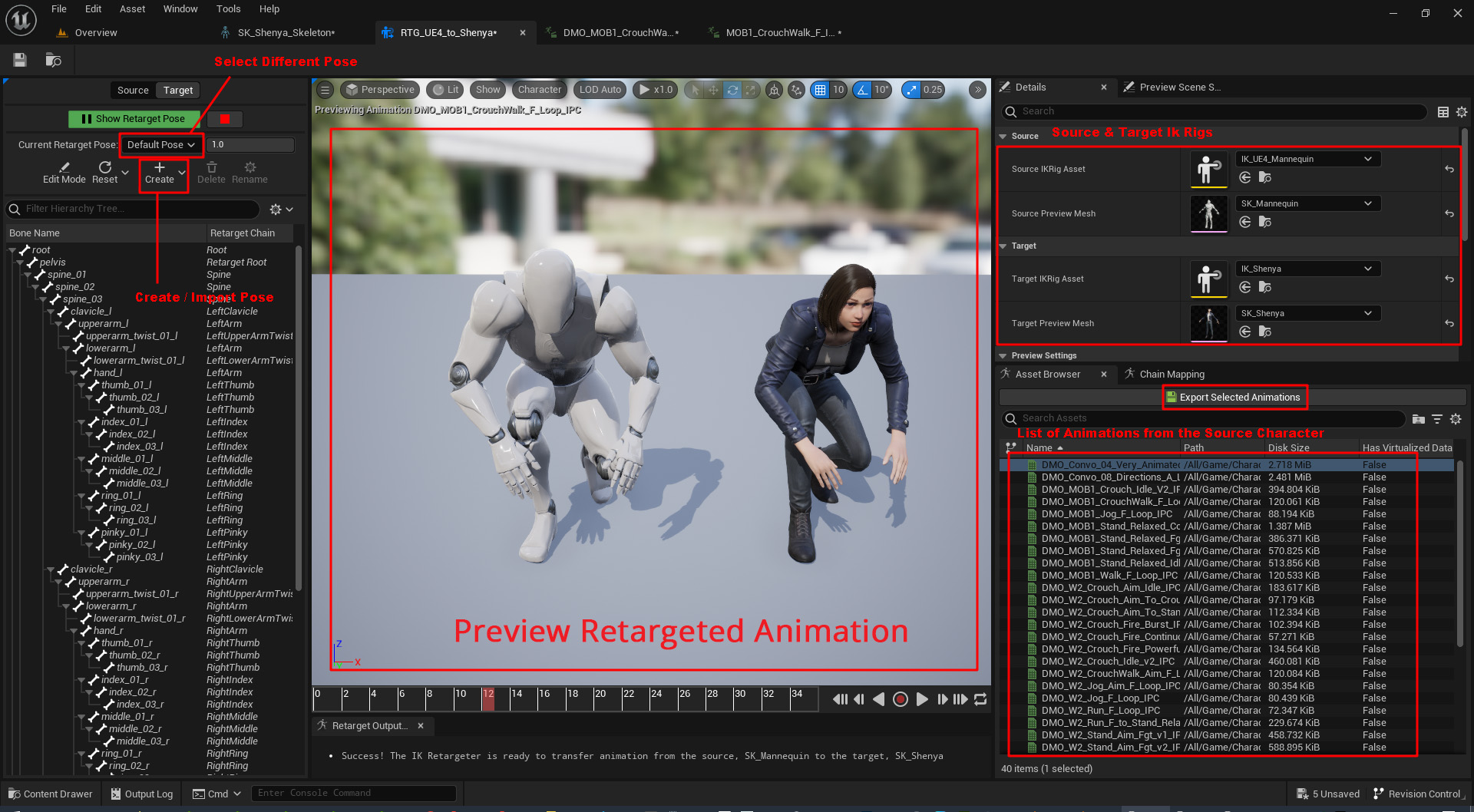
Check out this video to see the retargeting process for Shenya in UE5 (this video should also applies to other Rabbit Heart characters).
Part 2 (An update to video above):
Create IK Rig
Section titled “Create IK Rig”Option 1: Duplicate Existing IK Rig
Section titled “Option 1: Duplicate Existing IK Rig”Get Stock IK Rig from Third Person Content Pack
Section titled “Get Stock IK Rig from Third Person Content Pack”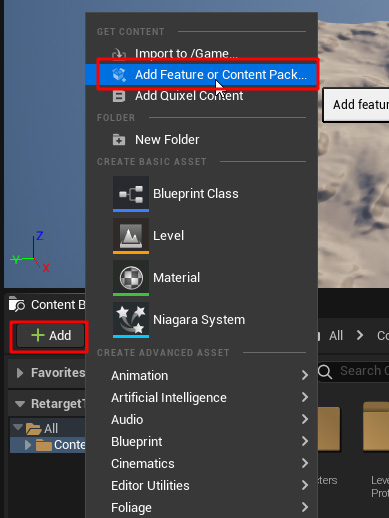

The Third Person Content Pack contains the stock IK Rig for UE4 and UE5 Mannequins that we can duplicate and use. The IK Rigs for the UE4 and UE5 mannequins are located in their own Rigs folder.

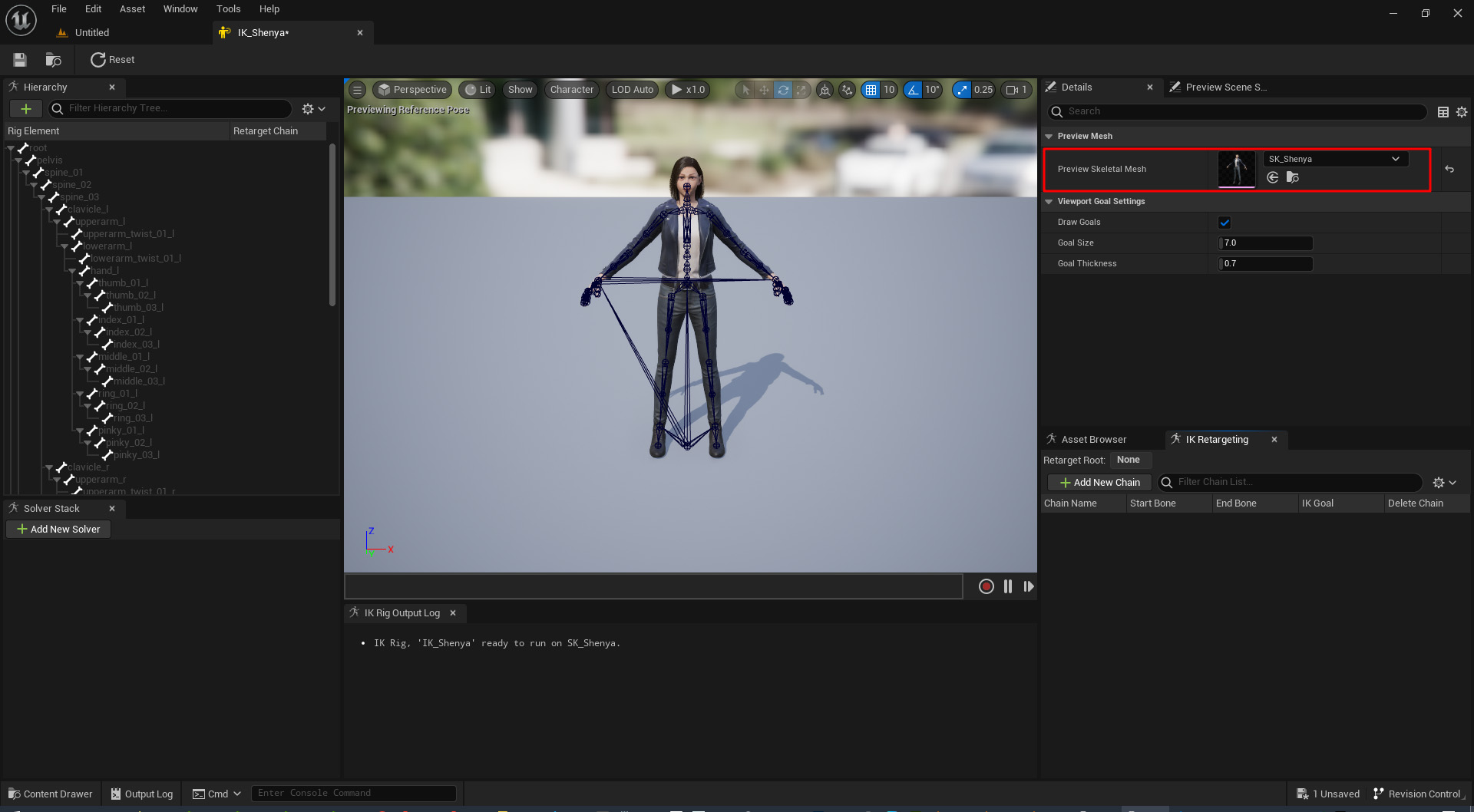
Since Rabbit Heart characters are using the same skeleton as UE4’s Mannequin, you can duplicate the UE4 IK Rig IK_UE4_Mannequin and just change the Preview Skeletal Mesh to one of my character.
Option 2: Create IK Rig from Scratch
Section titled “Option 2: Create IK Rig from Scratch”Tips: Create Keyboard Shortcuts
0. Right click in the Content Browser, select Animation > IK Rig > IK Rig
Section titled “0. Right click in the Content Browser, select Animation > IK Rig > IK Rig”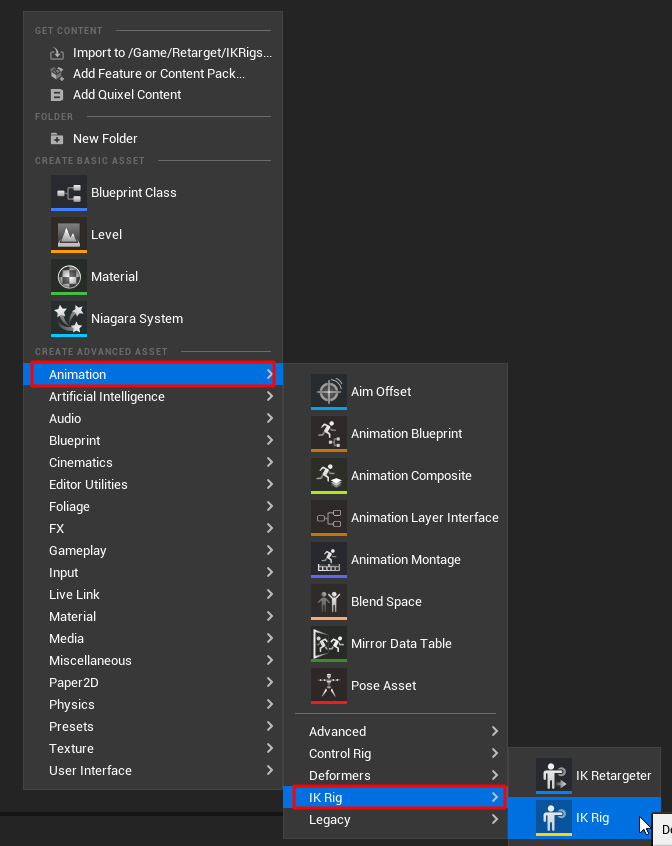
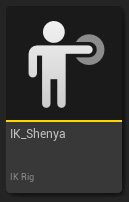
Give it a meaningful name and double click the asset to open up the IK Rig Window
The Window is empty when first created, select your skeletal mesh in the details panel to load it.
1. Set Retarget Root on pelvis (first thing first!).
Section titled “1. Set Retarget Root on pelvis (first thing first!).”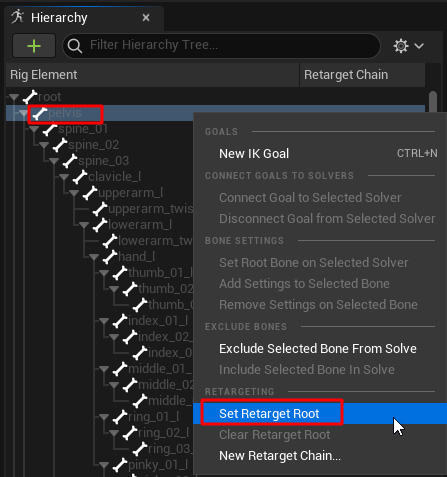
2. Create Retarget Chains
Section titled “2. Create Retarget Chains”These are a list of chains we need to create.
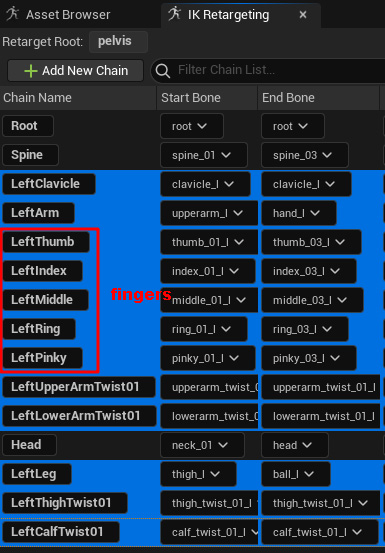
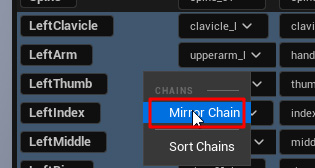
Select the Left joint chains and Mirror them to create the Right side.
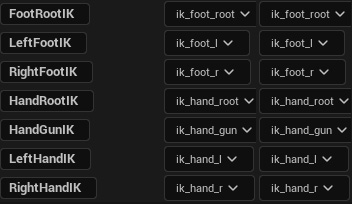
Create chains for the IK bones. There are 7 of them. These are optional since UE is not able to retarget IK bones properly. I haven’t have success with retargeting IK bones, please let me know if you have any solutions.
There’s a Free plugin that can retarget IK bones: Free Bone Snapper. (Video)
3. Setup IK Solver
Section titled “3. Setup IK Solver”Setup IK Solver
Create Full Body IK solver and Set Root Bone on Selected Solver.
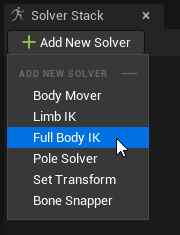
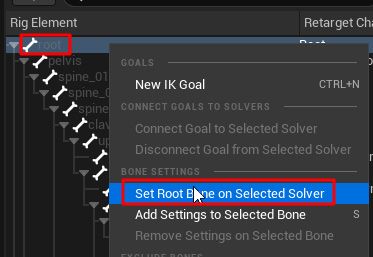
Create 4 IK Goals (on the hand_l, hand_r, foot_l, foot_r).
Tips: Hotkey Ctrl + N
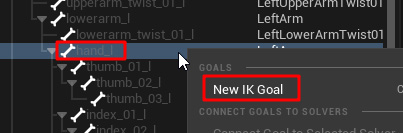
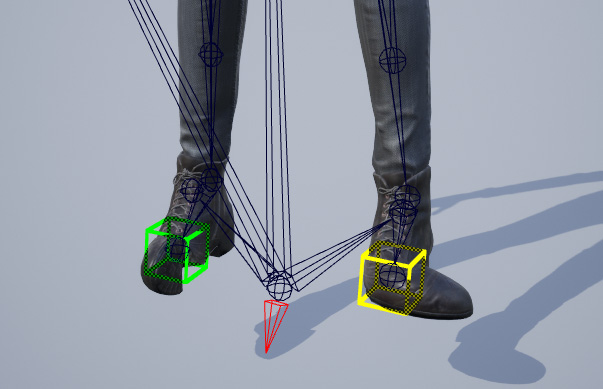
Drag the foot goals to go under ball joints.

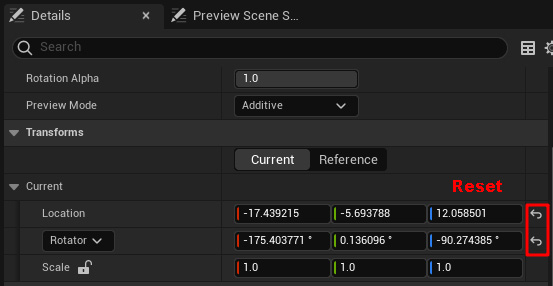
The foots got broken. Reset the foots goal Transforms to fix it.
Create Bone Settings for the pelvis, spines, clavicles, thighs and calves.

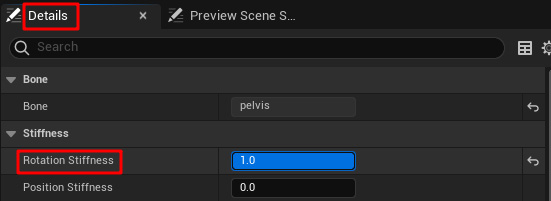
Set Rotation Stiffness on Pelvis, all the Spines and Clavicles, with the following values:
| Bone Name | Bone Rotation Stiffness |
|---|---|
| pelvis | 1 |
| spine_01 | 0.784 |
| spine_02 | 0.928 |
| spine_03 | 0.936 |
| clavicle_l | 1 |
| clavicle_r | 1 |
Set Preferred Angles on thighs and calfs, with the following values
| Bone Name | Bone Preferrred Angles |
|---|---|
| thigh_l, thigh_r | (0, 0, -90) |
| calf_l, calf_r | (0, 0, 90) |
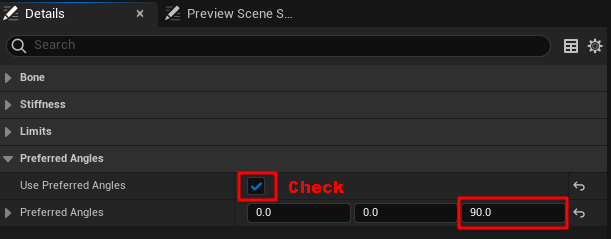
4. Done
Section titled “4. Done”Create IK Retargeter
Section titled “Create IK Retargeter”After we got both IK Rigs for the source and target character, create an IK Retargeter. Right click in the Content Browser, select Animation > IK Rig > IK Retargeter
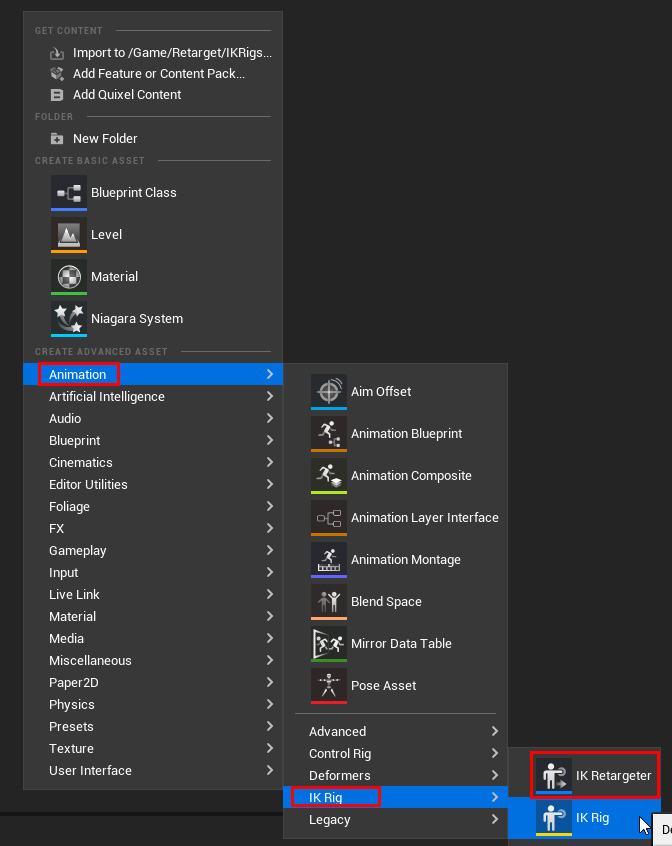
Double click the IK Retargeter asset to open the IK Retargeter Window.
1. Select the source and target IK Rig in the Details panel.
Section titled “1. Select the source and target IK Rig in the Details panel.”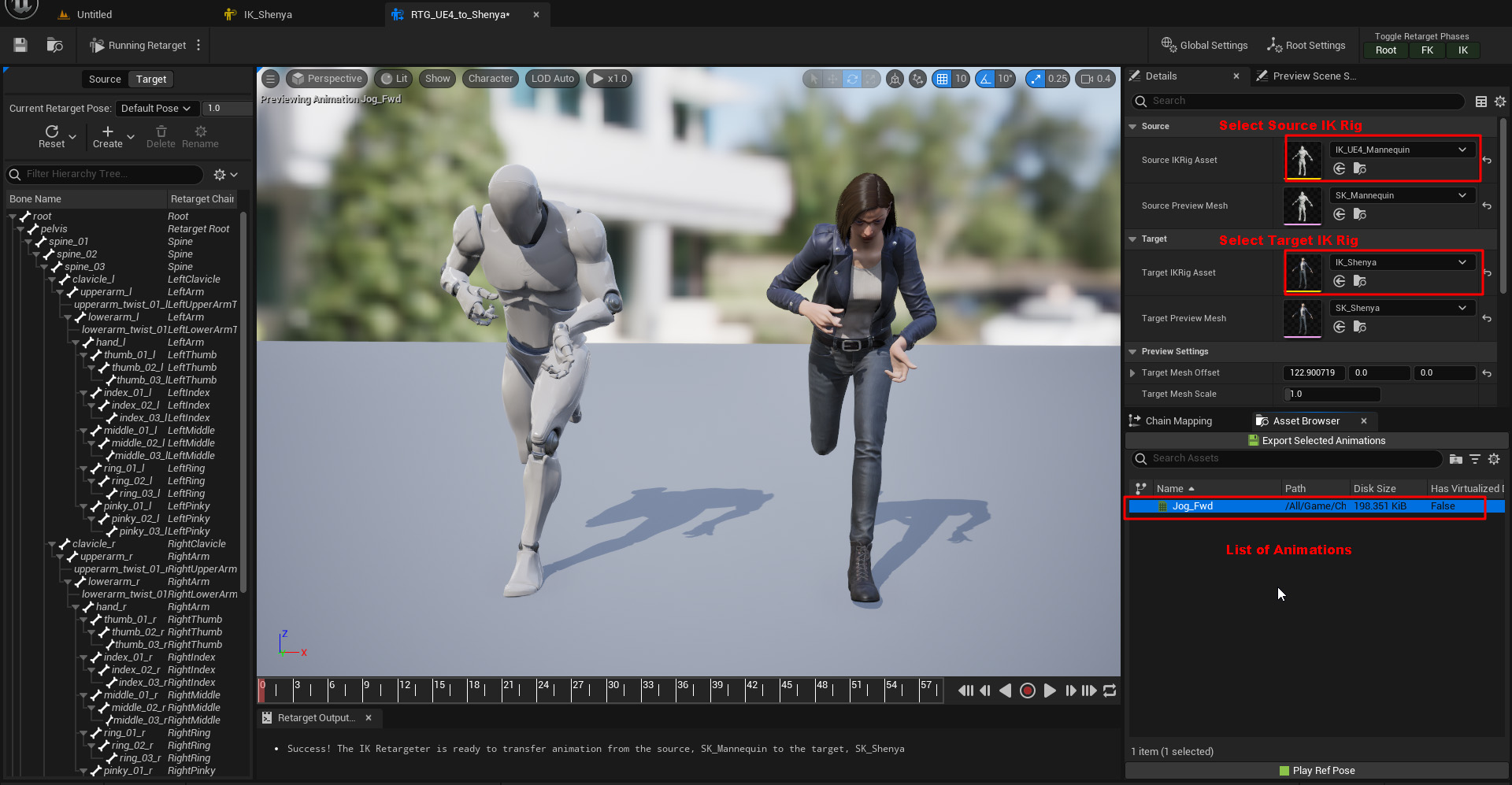
2. Switch to Retarget Pose
Section titled “2. Switch to Retarget Pose”3. Import Pose Asset
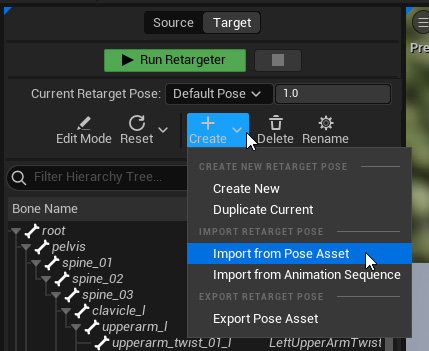
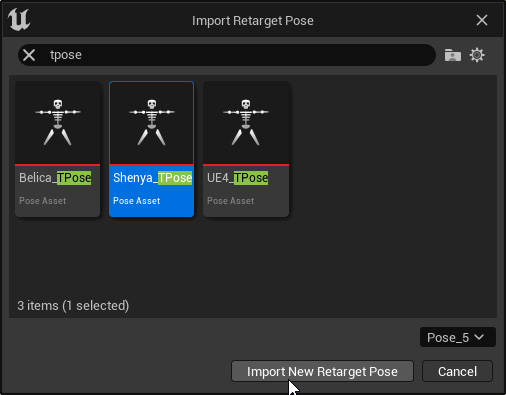
Section titled “3. Import Pose Asset”