Dynamic Meshes
Dynamic Meshes are meshes that are added with additional bones for the purpose of using the bones for dynamic simulations (either with physics assets, Anim Dynamics node, or by plugins like KawaiiPhysics). They do not share the main Shenya skeleton that is in the root of Meshes folder.
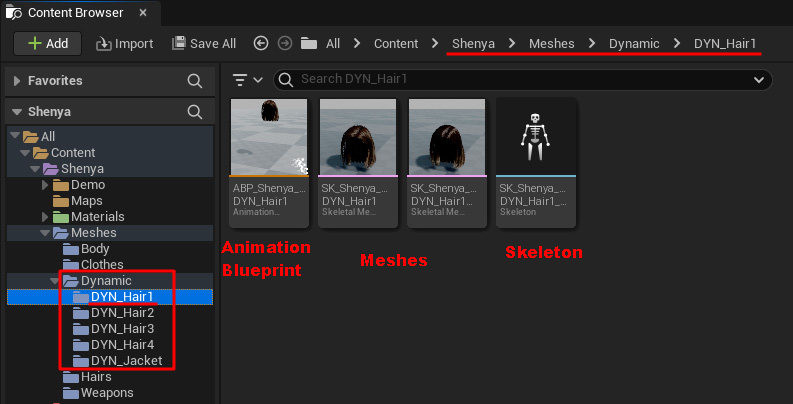
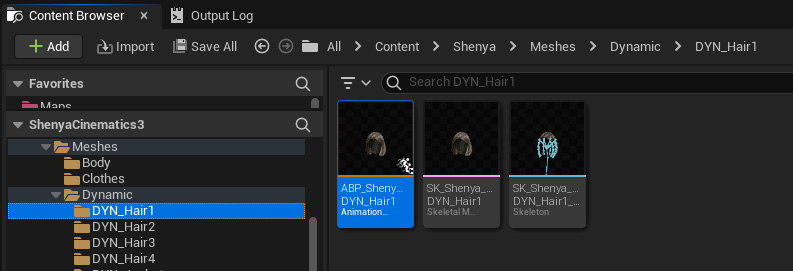
A Dynamic Mesh is put into its own folder because it has its own skeleton (SK_Shenya_DYN_{Hair1}_Skeleton) and its own animation blueprint ( ABP_Shenya_DYN_{Hair1} ).
The folder is named DYN_{Hair1}.
For example this one is for Shenya:
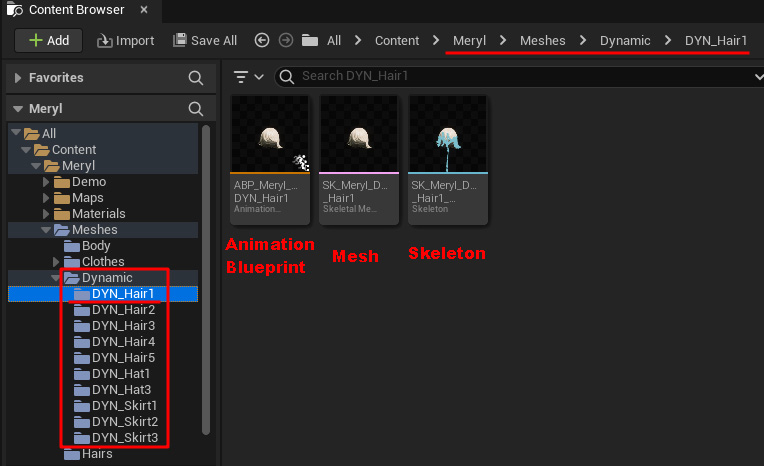
and this one is for Meryl:
A typical skeleton for hair looks like the following, which is Shenya’s Hair1’s skeleton:
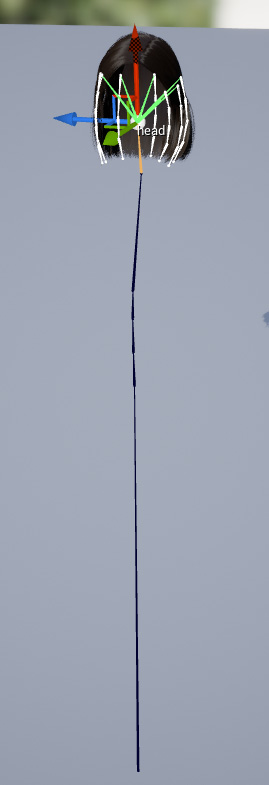
The skeleton has the bone chain from the root up until the head, then the additional bones for the hairs are attached to the head. Notice that the arms and legs bones are deleted because whatever they do they don’t affect the hairs skeleton.
The spine chain need to be there because it’s linked to the hairs skeleton and I am using Copy Pose from Mesh in the animation blueprint.
You can use Dynamic meshes with KawaiiPhysics or SPCRJointDynamics.
KawaiiPhysics
Section titled “KawaiiPhysics”
Kawaii Physics is a pseudo-physical plug-in created for Unreal Engine 4 & 5.
You can sway your hair, skirt, chest, etc easily and in a Kawaii way.
How to use
Section titled “How to use”To use Dynamic meshes with KawaiiPhysics:
- Add Plugin to project
- Add DYN_Mesh (eg.
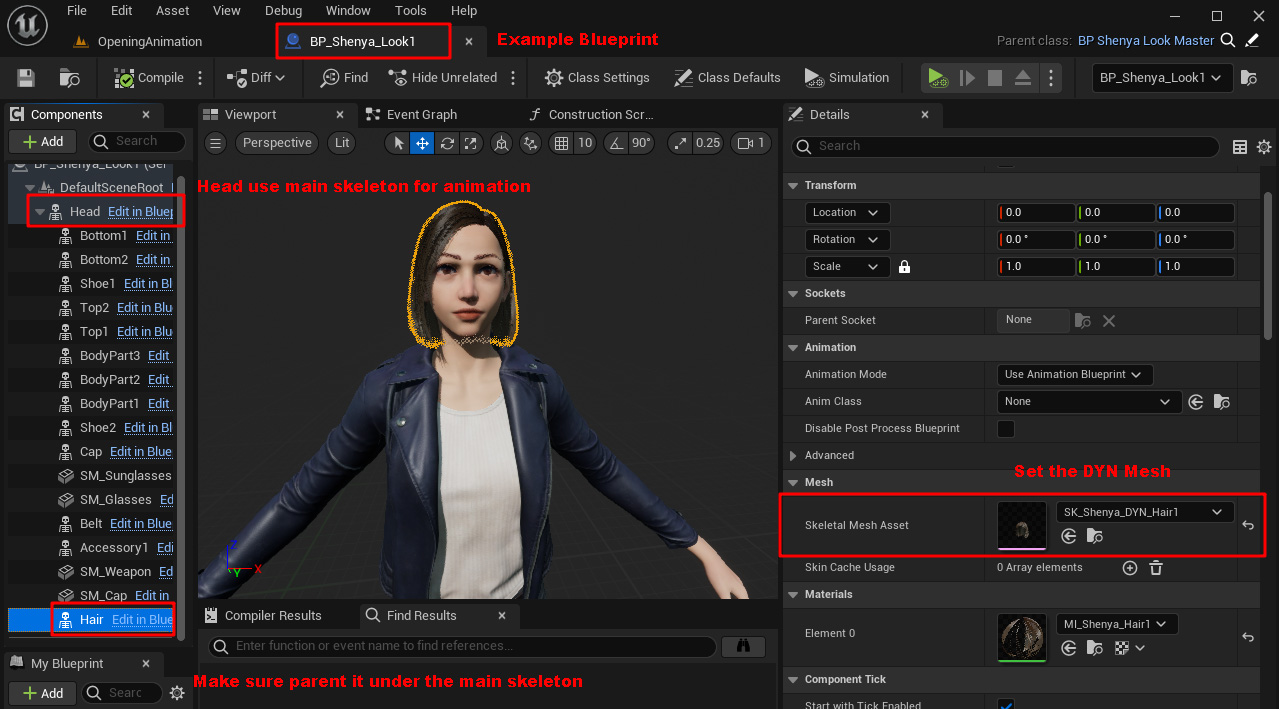
SK_Shenya_DYN_Hair1) to a blueprint. Parent it under a mesh with the main skeleton. - Open Animation blueprint for DYN_Mesh (eg.
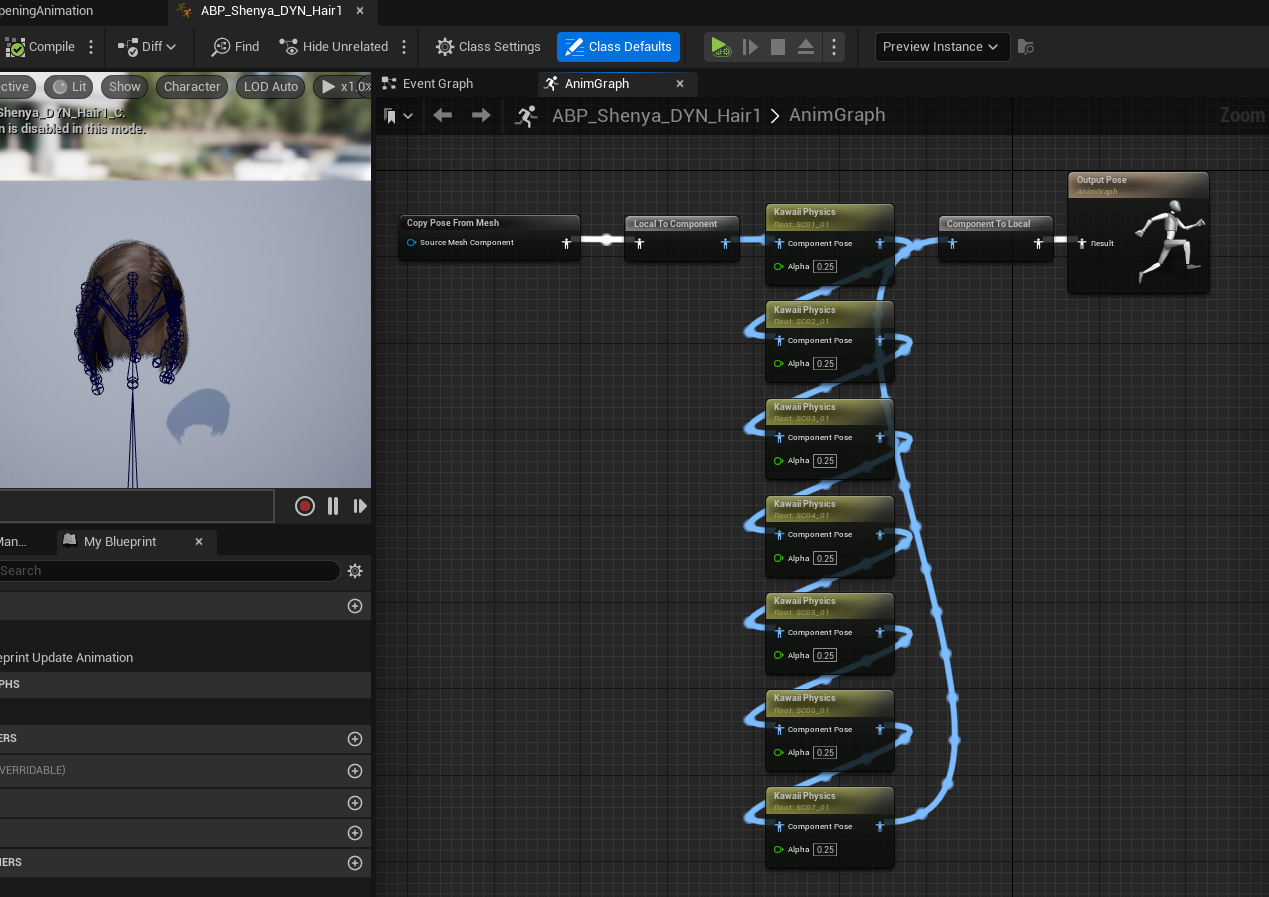
ABP_Shenya_DYN_Hair1), add KawaiiPhysics nodes - Compile and check if it works
Video Example
Section titled “Video Example”1. Add Plugin to Project
Section titled “1. Add Plugin to Project”Go to KawaiiPhysics Github Releases and download the version for your Unreal Engine Project. The latest release as of 17th October 2023 only have versions for UE5 and above. If you use UE4, you can scroll down for older version or you can attempt to recompile the code.
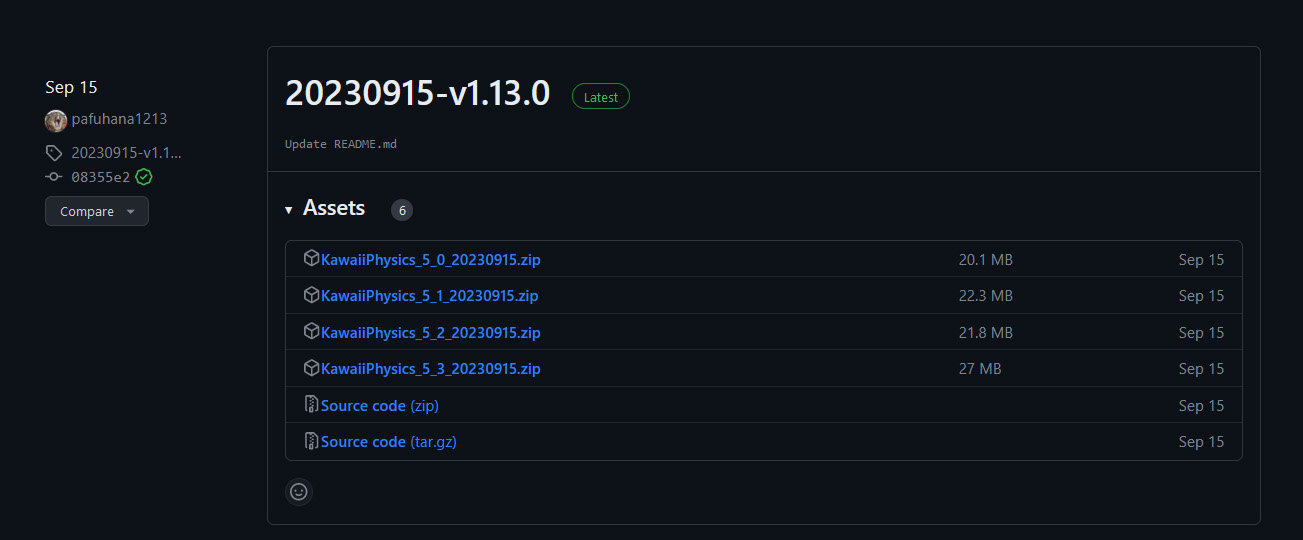
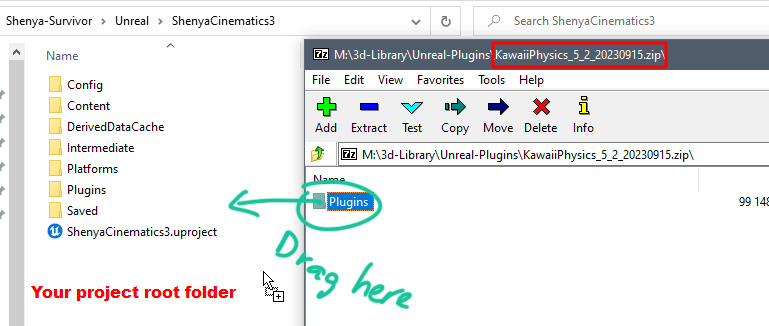
After download, open the zip file, drag the Plugins folder into your project root folder, and restart Unreal Engine.
2. Add DYN_Mesh to a Blueprint
Section titled “2. Add DYN_Mesh to a Blueprint”Example:
3. Add KawaiiPhysics Nodes to Animation Blueprint
Section titled “3. Add KawaiiPhysics Nodes to Animation Blueprint”Open the Animation Blueprint
Example of the node graph:
SPCRJointDynamics
Section titled “SPCRJointDynamics”Are you searching for a real cloth dynamics solution, so that character’s cloth in your game will behave like a real cloth.
Then this is the plugin for you. SPCRJointDynamics offers you the exact behaviour, which requires a basic bone setup, and you are ready to go.

I haven’t tried using SPCRJointDynamics on Shenya but this plugin is specifically for cloths, where each joint chain can be linked to the one beside it so they constraint each other (compared to KawaiiPhysics where each joint chain are independent from each other and move independently), so you can try this on the Dynamic Jacket or the hairs.
I have tried SPCRJointDynamics on Meryl’s skirt but find it sometimes flip the skirt upside down.